
Shared Inbox Problems That Slow Support Teams Down (and How to Fix Them)
Missed messages, parallel replies and stalled transfers are often workflow failures. Diagnose seven common problems, repair the process and choose the support model your team needs.

Key Takeaways
- 1Assign intake cover and one accountable owner for each unresolved issue.
- 2Record waiting reasons, next actions and commitments separately from replies.
- 3Verify identity and issue before linking contacts across connected sources.
- 4Test handoff acceptance, uncertain matches and unavailable connections.
- 5Pair operational measures with case review rather than counting replies as outcomes.
Customer messages can be visible to everyone and still go unanswered. Shared inbox problems usually start with a missing decision: who takes responsibility, what state the work is in, or who must act next. More folders will not fix an unaccepted handoff. More automation will not establish whether two contacts concern the same issue.
Start by making ownership, waiting work and commitments explicit. Then decide whether your team needs better email collaboration or a case record that connects several contacts to one unresolved concern.
What a shared inbox does, and what it does not
A shared mailbox gives permitted colleagues access to a common email address. A collaborative inbox may add assignment, notes and completion states. A unified workspace may display several channels. These labels overlap, but they do not establish equivalent controls or an omnichannel workflow.
A small team handling straightforward questions through one address may work well with email and a clear rota. The limit becomes apparent when the thread stops describing the work. An email about a refund might need a finance investigation, a promised update and a decision that arrives days after the last reply.
Do not assume every native mailbox lacks teamwork controls. Google Groups Collaborative Inbox supports taking, assigning and completing conversations with the appropriate configuration and permissions, Groups for Business enabled and conversation history turned on. Microsoft documents settings for copying replies to a shared mailbox's Sent Items; the default can leave the copy only in the individual sender's folder. Check the settings before diagnosing a missing feature. 1 2
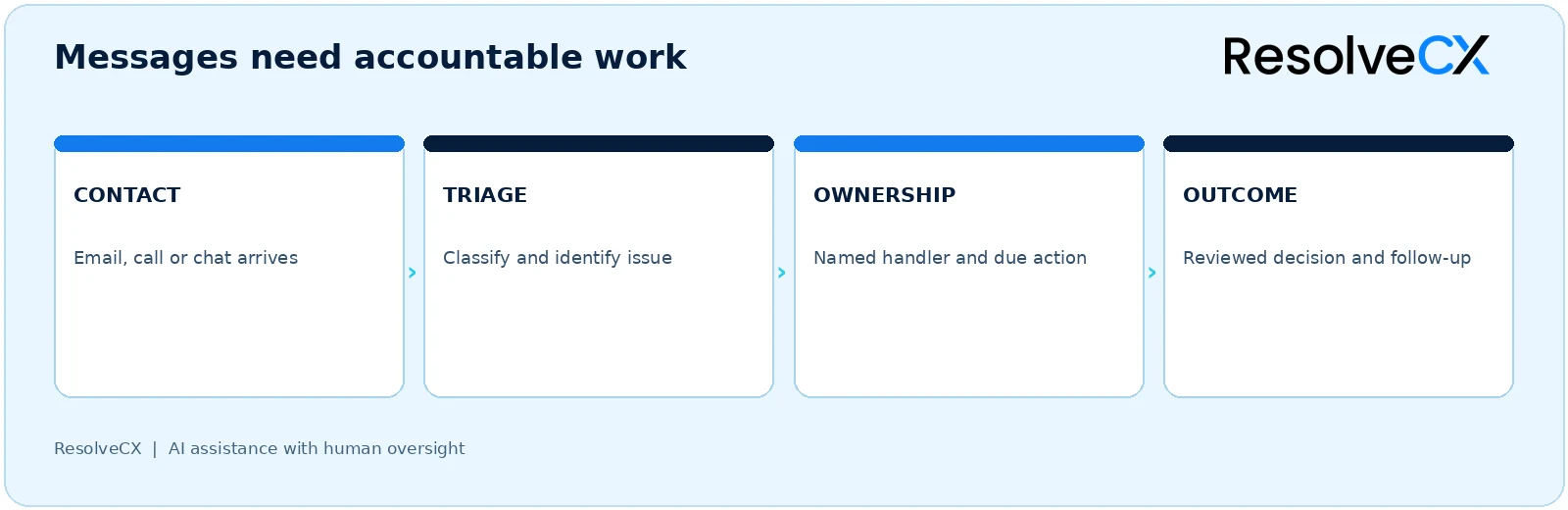
A contact enters triage, someone identifies the issue, a handler owns the due action, and the team reviews the outcome and follow-up. Each transition needs a person responsible for incomplete work.
Diagnose the failure before choosing a tool
Use the table to connect a symptom with a practical repair. The last column describes controls to investigate in your chosen system, not a list of ResolveCX capabilities.
| Symptom | Likely cause | Immediate repair | Control to test |
|---|---|---|---|
| Unanswered contact | Intake has no owner | Check unassigned work at each shift | Ownership and age visibility |
| Unintended parallel replies | Responsibility is unclear | Agree one external responding handler | Assignment visibility; any available drafting or collision warning |
| Waiting work disappears | Read/unread is treated as status | Record the waiting reason and next action | Status and review date |
| Customer repeats the story | Related channel history is separate | Review relevant contacts together | Authorized case context |
| Handoff stalls | Receiver has not accepted | Require acknowledgment from a named receiver | Acceptance record and fallback |
| Promised update is missed | Due time is buried in a note | Record an owner, deadline and escalation path | Aging and exception visibility |
| Wrong contacts are combined | Similarity is treated as identity | Check source information before linking | Human review and a correction path |
| Reports look healthy while issues remain open | Messages are counted as outcomes | Measure unresolved issues as well as contacts | Case-level measures |
The matching row is a cross-cutting risk in the seven failures below. A shared number, similar name or familiar phrase does not prove that two contacts belong together.
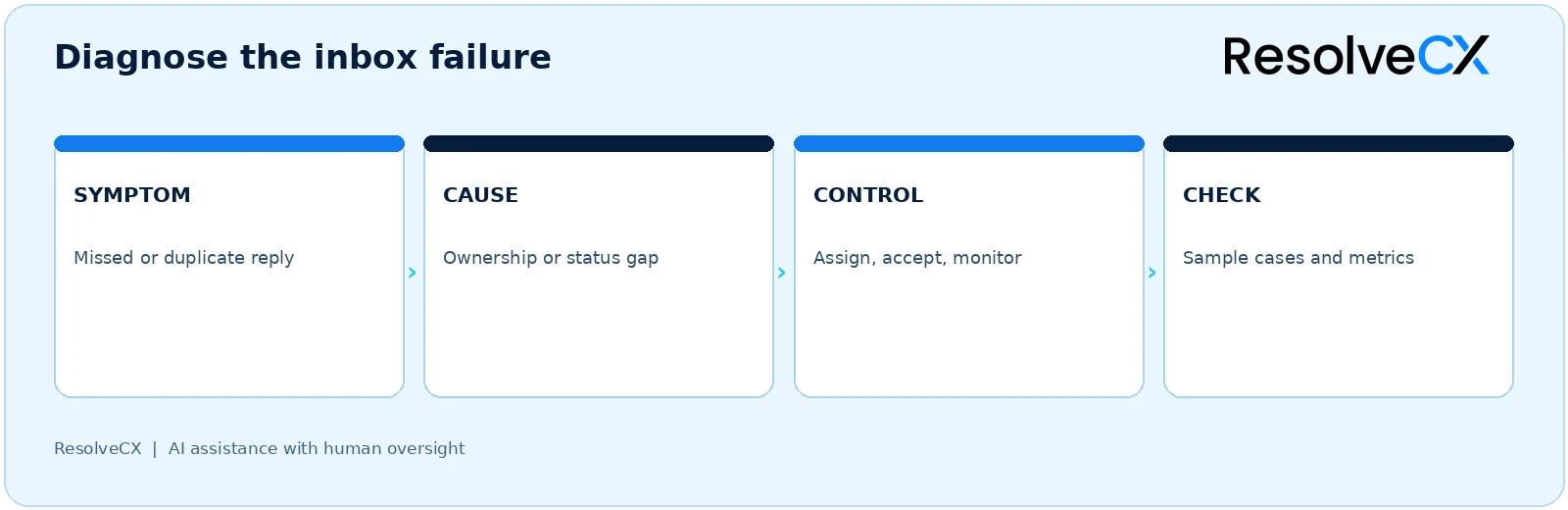
Seven shared inbox failures and practical fixes
1. New messages have no intake owner
An inbox is a location, not a responsibility. When everybody assumes somebody else is checking it, older contacts are displaced by newer ones. A customer following up may be the first sign that intake failed.
Assign a triage role for each working period. Define the time window for reviewing new arrivals, who covers breaks and leave, and how out-of-hours messages enter the next shift. Review unassigned work by age, not just total volume. Keep a fallback for messages that arrive through an unavailable or unconnected source.
Separate the person sorting new work from the person accountable for resolving the issue. Those roles may be held by one person, but neither should be left implicit.
2. Two handlers reply without coordinating
Parallel replies often reflect unclear responsibility rather than a lack of effort. Two colleagues see an urgent message, prepare answers and send incompatible commitments. A specialist may also reply directly while support is still coordinating the response.
Name one responding handler. Ask contributors to provide internal input, then let that handler confirm the customer update. Make ownership visible and check recent responses before sending. If your chosen tool offers drafting indicators or collision warnings, test them with two real users and the relevant permissions. Do not assume those controls exist in ResolveCX or any other product.
Count accidental duplicate responses separately from deliberate follow-up updates. Review the cause: unclear assignment, shift overlap, delayed sent-item visibility or a specialist bypassing the agreed route.
3. Read/unread hides waiting work
Opening a message says nothing about whether finance has investigated, a customer has supplied information or a supervisor has made a decision. Marking the message unread again loses the reason it is waiting.
Agree a small set of states such as open, pending, escalated and resolved. For pending work, record the dependency, next action, responsible person and review date. Define what changes when new information arrives and when a closed issue should reopen.
A useful shift handover explains what is waiting and what is due next. It should not require the receiving handler to reconstruct that information from flags and personal folders.
4. Customer context breaks across channels
A customer may email about a failed refund, call with a reference and later chat for an update. If each contact sits in isolation, handlers ask the same questions and can make conflicting decisions.
Bring relevant, permitted history into the review, preserving its source and timing. Check both identity and issue before linking it. A family phone number may be shared; the same customer can have two unrelated orders. Keep uncertain relationships available for review rather than treating a suggested match as established fact.
Agree with privacy and security colleagues which information each role should see and how long it should remain available. A common view is useful only when its context is appropriate and accurate.
5. A transfer is mistaken for acceptance
Forwarding records the sender's action. It does not establish that a receiver has understood or accepted the work. An issue can spend days between queues while each team believes the other is responsible.
Specify the receiving person or role, the question to resolve and the due action. The current owner should retain accountability until acceptance under your operating rules. Record acknowledgment and a fallback when it does not arrive within the agreed window.
Test a handoff during absence or peak workload. If nobody accepts, who notices, who can redirect it and who tells the customer when the commitment changes?
6. Commitments and sensitive issues age unnoticed
A reply can be sent while a callback, investigation or specialist decision remains outstanding. A due date hidden in a note is easy to miss when the conversation falls out of the active queue.
Record each commitment with an owner and due time. Review approaching and overdue actions, define when a supervisor intervenes and agree how a missed promise is recovered. Keep customer-update commitments distinct from the time required to resolve the underlying issue.
Possible harm, vulnerability or a complaint requiring specialist assessment should follow the organization's trained review process. An automated category is not a substitute for that judgment, and an inbox label does not establish compliance.
7. Reporting measures activity instead of resolution
Fast replies and high email counts can coexist with unresolved complaints. A handler may answer promptly without obtaining the decision the customer needs. Closing the thread can make the queue look better while moving the problem elsewhere.
Review unowned work, pending age, handoff acceptance, overdue commitments, repeat contacts and reopened issues. Sample closed cases to understand whether the customer received an outcome and whether the relevant supporting information remains available to authorized reviewers.
Use response speed alongside completion quality. Neither volume nor a single average explains where the workflow failed.
Repair the workflow in a manageable sequence
Begin with anonymized examples from recent work, including a missed message, a duplicate answer and a stalled specialist referral. Write down the failed rule before buying a replacement.
- Map intake and failure handling. List addresses, forms, phone queues, chat and messaging sources. Note where each arrives, who can access it and how staff capture a contact if a connection fails.
- Name the owners. Set triage cover and one accountable owner for each unresolved issue. Define how responsibility is accepted, delegated and covered during absence.
- Define states and commitments. Agree the meaning of open, pending, escalated and resolved. Keep the next action and due time separate from the most recent reply.
- Write exception paths. Identify reviewers for uncertain matches, sensitive information, unreadable attachments and incomplete customer context. Document who can correct an error.
- Walk the handoffs. Move an example to a specialist and back. Check that the receiver understands the source information, accepts the action and preserves the commitment.
- Pilot, sample and adjust. Inspect missed, duplicated and reopened work weekly during the pilot. Change the rule responsible for the failure rather than expanding automation to compensate for it.
Maintain a manual fallback throughout. During an outage, staff still need a place to record the contact, owner and promised update. When service returns, reconcile those records and identify work delayed or duplicated during recovery. Agree access and retention with the responsible specialists before combining histories.
Contacts are not cases
A contact is an interaction. A case is the issue that needs an outcome. Some contacts can be answered once and closed. Others belong to an investigation involving several contacts, contributors and decisions.
Consider an illustrative refund complaint. The customer emails on Monday, calls on Wednesday with a transaction reference and uses chat on Friday because an update has not arrived. There are three contacts, but potentially one unresolved complaint. A handler verifies the customer and issue before connecting them, then keeps the finance referral and next update with that case.
If Friday's chat concerns a different order, it should follow a separate issue path. Keeping a customer history does not mean merging all of that customer's work. The distinction avoids both repeated case creation for one problem and inappropriate combination of separate concerns.
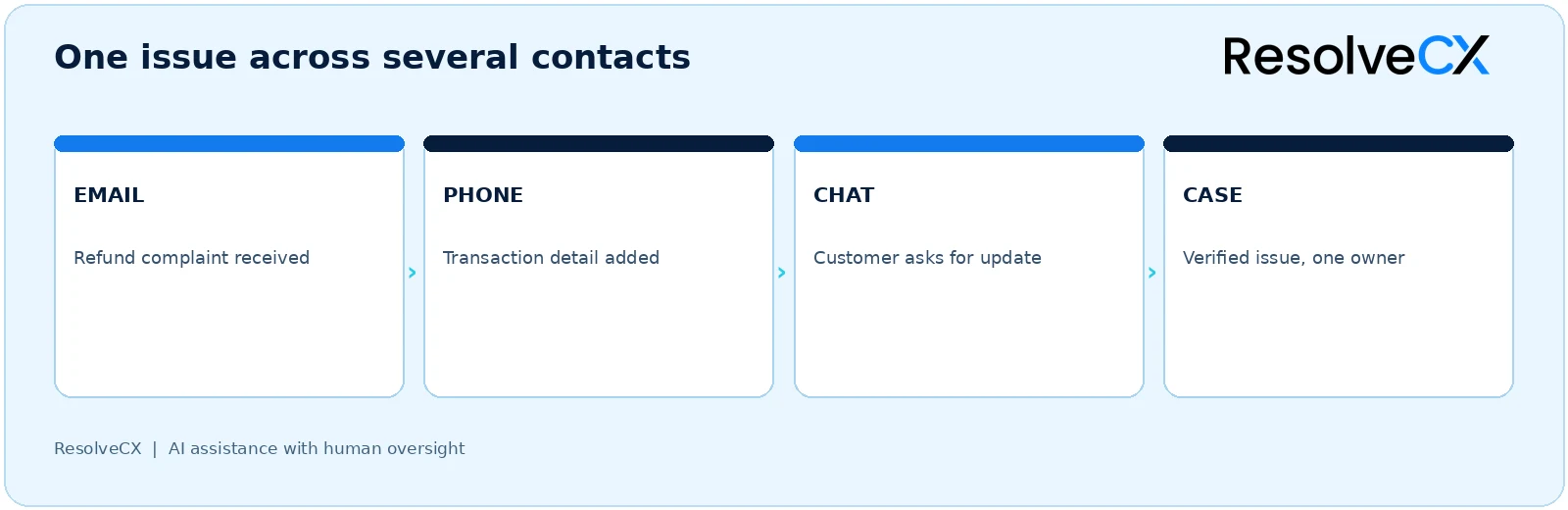
The diagram describes the example, not confirmed ResolveCX connectors. The ResolveCX omnichannel inbox focuses on relevant context from configured sources. AI may suggest a possible relationship; an authorized person checks the source and decides. Case management concerns the coordinated work around the issue, while complaint management gives complaint investigation and response their own workflow.
Choose the smallest support model that fits the work
A replacement is justified when a better process cannot be sustained with the current controls. Tool names are not enough: ask what handlers can actually do with the configuration being proposed.
| Support model | A reasonable fit | Limitations to examine |
|---|---|---|
| Native shared mailbox | Mainly email, straightforward work and explicit manual responsibility | Shared sent-item visibility, assignment and follow-up gaps |
| Collaborative inbox | Email teamwork needs assignment, internal notes and clear states | Other channels or investigations outside the thread |
| Help desk | Requests need queues, priorities, response targets and reporting | Several tickets fragmenting one recurring customer issue |
| Case-linked omnichannel workflow | Several channels and teams contribute to a complaint or complex issue | Matching accuracy, permission scope and configuration effort |
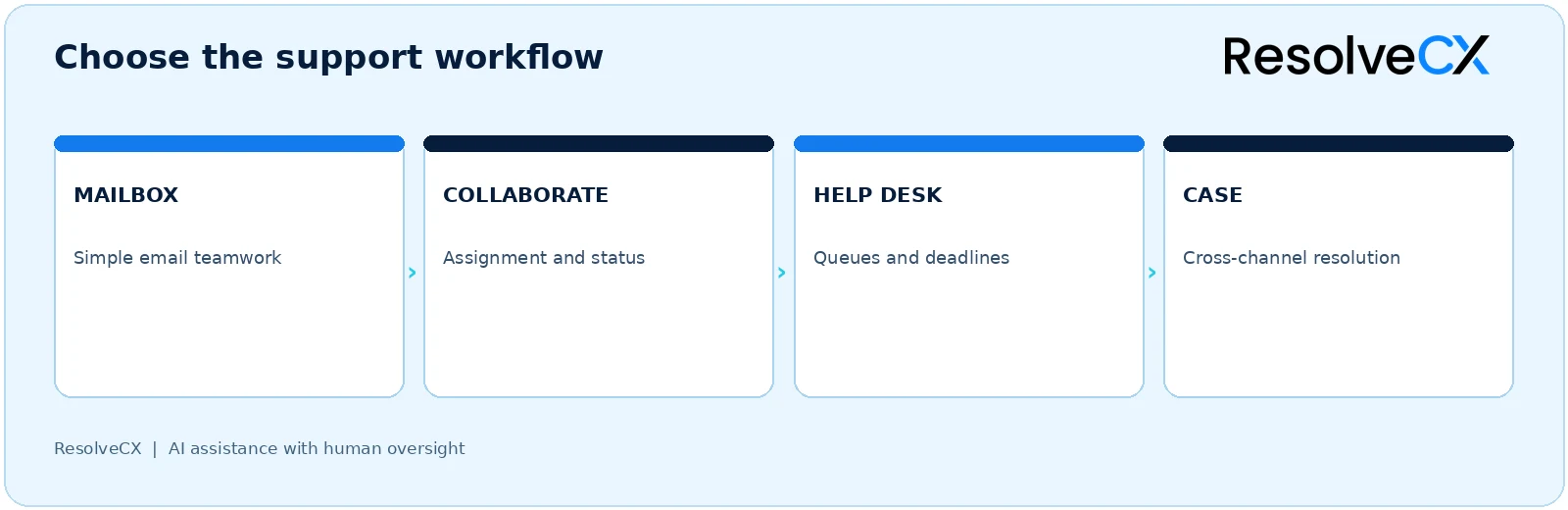
A team does not have to progress through every model. Better mailbox settings and a reliable rota may solve a simple email problem. Equally, more reminders may be insufficient when ownership, investigation and decisions span several teams.
Test the repair in a demonstration
Use the same anonymized scenarios for each candidate: an ordinary question, a two-channel complaint, a sensitive issue, a mistaken match and an unavailable connection. Ask the handler to complete the work, not merely show a unified conversation list.
- Connection scope: show which sources and interaction details are included, and what happens outside that scope.
- Identity and issue: explain the information behind a possible link. Test rejection, correction and any available way to undo a mistaken relationship.
- Ownership: identify who owns the issue before and after a transfer. Leave one handoff unaccepted and follow the fallback.
- Follow-up: distinguish an answered message from an unresolved promise. Find the owner of the next update.
- Human oversight: show who checks AI suggestions, sensitive matters and final responses.
- Reviewable context: inspect the source contacts, notes and decision rationale needed for the example. Ask what history is available rather than assuming an audit feature.
- Resilience: disconnect a source in the test environment and reconcile manually captured work.
- Access: use different roles to check what sensitive information each can see or act on.
These are buyer tests, not confirmed ResolveCX controls. For a fuller selection checklist, use the omnichannel inbox evaluation guide. Keep the demonstration tied to the failures your team needs to repair.
Measure whether the repair is working
Define the unit and denominator first. Three contacts about one refund are not three resolved cases. Compare like periods and segment by channel, queue and issue type where expectations differ.
| Measure | Working definition | What to investigate |
|---|---|---|
| Unassigned backlog | Open contacts without an owner, grouped by age | Intake responsibility and shift cover |
| Duplicate-response rate | Eligible conversations with unintended parallel or conflicting replies, divided by eligible conversations reviewed | Assignment and collaboration rules |
| Handoff acceptance time | Elapsed time between transfer request and receiving-owner acceptance | Waiting specialist work |
| Overdue commitment rate | Missed due actions divided by commitments due in the period | Capacity and deadline handling |
| Repeat-contact rate | Further contacts about the same unresolved issue, using a defined observation window and eligible case cohort | Missing updates or incomplete outcomes |
| Reopen rate | Closed issues reopened after new evidence or dissatisfaction, divided by eligible closed issues in the chosen cohort | Closure quality |
These are proposed operational definitions, not industry benchmarks or promised improvements. Agree exclusions, time windows and how absent data is treated before comparing results. Sample cases behind a sudden change: fewer repeat contacts could mean better service, but could also mean customers could not reach you.
Pair the measures with customer feedback and record review. Use what you learn to change ownership, status or handoff rules, then check whether the same failure returns.
Make the next action clear
Fix intake responsibility, waiting states, accepted handoffs and commitments first. Keep contacts distinct from the customer issue, and verify relationships before joining records. Then choose the support model that can maintain those rules.
Bring a missed contact, repeat complaint and stalled handoff to a workflow discussion with ResolveCX. A useful demonstration should make the next owner and action clear, including when the normal path fails.
Frequently Asked Questions
Name one external responding handler, make ownership visible and coordinate contributions before sending. Check earlier responses and investigate accidental duplicates. Drafting indicators or collision warnings may help where a chosen tool supports them, but they are not assumed ResolveCX features.
They can suit appropriate email workflows. Google Groups Collaborative Inbox supports assignment and completion with the right settings and permissions. Microsoft documents shared mailbox settings for sent-item visibility. Assess follow-up and case work as well as access to the address.
Multichannel support offers several contact routes, which may operate separately. Omnichannel support aims to preserve relevant context across connected routes. A common screen alone does not establish accurate identity matching, issue continuity or accountable ownership.
AI can suggest a possible relationship, but similarity is not proof. An authorized person should check source information and confirm the customer and issue. Keep uncertain contacts available for review and establish a correction path for mistakes.
Under a clear operating policy, the existing owner retains accountability until the receiving owner accepts the next action. Define the due time, acknowledgment and fallback so a referral does not leave the customer without someone responsible.
No tool guarantees compliance. Applicable duties depend on jurisdiction, sector, configuration and operating practice. Qualified specialists should assess the process. ISO 10002 provides organizational complaints-handling guidance; it does not certify ResolveCX or establish that a particular inbox meets legal duties.
Sources
-
1. Microsoft Learn: Configure Microsoft 365 shared mailbox settings
-
2. Google Workspace Learning Center: Make a group a Collaborative Inbox
-
3. ISO: ISO 10002:2018, complaints handling in organizations
ISO's guidance concerns the complaints-handling process, including its design, operation and improvement. It is background for process review, not product evidence or legal advice. 3
Related articles
How Case-First Architecture Reduces Repeat Complaints
How case-first architecture retains resolution memory and reduces reopens, cost-to-serve, and compliance risk through governed case continuity.

Escalation Management Matrix: Roles, Rules and Examples
A practical escalation matrix guide with row fields, distinct owners, seven handoff steps, three worked examples and seven implementation tests.

Patient Grievance Handling in Multi-Hospital Networks
Why inconsistent processes in growing hospital networks create governance risk and how structured standardisation transforms complaint management across sites.